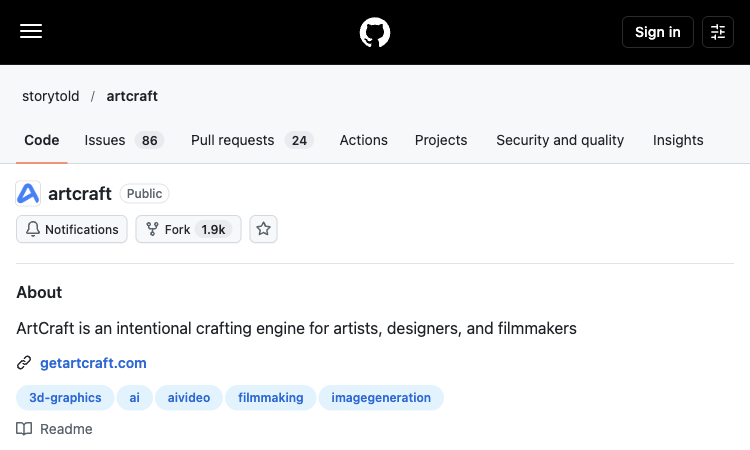
ArtCraft is an open-source creative IDE for artists, designers, and filmmakers working with AI-generated images, video, and staged scenes. This listing on siftport.com looks at careful tool evaluation and helps users comparing practical constraints before they adopt a tool for repeated work. Visit ArtCraft to inspect the current product page and see its available workflow for yourself.
Instead of relying on prompts alone, ArtCraft provides a workspace for composing in 2D, arranging assets in 3D, posing characters, and controlling the camera before generating a shot. The repository includes source code, documentation, and release information for people who want to inspect or install the project. ArtCraft keeps the focus on a clear sequence: bring an idea or source asset, choose an appropriate action, review a result, and make a considered revision. A good first test is a small project with a clearly defined goal, since that makes it easier to judge output quality, control, and the time saved.
The project combines image compositing, background removal, scene blocking, image-to-3D workflows, character posing, and connections to multiple generation models. That mix is useful when a creator needs repeatable composition or visual continuity across more than one frame, rather than a single isolated output. For a first project, ArtCraft can be assessed with a concrete example rather than a broad prompt: describe the intended output, set the needed format, and compare the result with the original requirement. This makes the strengths and limitations of ArtCraft easier to see.
ArtCraft can fit a storyboard, a short film concept, a character scene, or a visual prototype. A user can block a scene, adjust foreground and background elements, test a camera position, and then select a generation workflow. Because it is open source, technical users can also review the code and development roadmap. The best use of ArtCraft depends on the user's starting material and the amount of control needed. Someone exploring ideas may value speed and variety, while a professional workflow may require consistent outputs, clear export settings, and terms that fit client work.
Before installing ArtCraft, review the supported operating systems, current release status, provider accounts or credentials needed for generation, model availability, hardware requirements, and project license. The GitHub repository is the source of truth for releases, setup steps, supported workflows, and changes. Compare the current product information with your own requirements instead of assuming every feature is included in every plan. A short trial project can reveal how well ArtCraft handles your subject, whether its controls are understandable, and how much refinement is usually needed.
ArtCraft is designed as a creative IDE where image-making can begin with composition and staging. In ArtCraft, a creator can assemble a 2D layout, arrange visual assets, and use a 3D stage to work out blocking and camera placement. This matters when a scene needs a deliberate viewpoint instead of a lucky prompt result. ArtCraft gives the user a place to consider foreground, background, scale, and character position before generation. A practical ArtCraft test is to build a small scene with two or three elements, move the camera, and compare the resulting framing against a written storyboard or reference image.
The repository describes compositing tools and workflows for building a visual from separate elements. ArtCraft can therefore be evaluated by how comfortably a creator places, masks, and adjusts those elements while preserving the scene's main idea. With ArtCraft, try moving one subject, changing a background, and checking whether the composition still communicates the intended action. This makes ArtCraft relevant to concept frames, character scenes, and visual prototypes that need more structure than a single prompt provides. Keep the initial layout simple, label important assets, and save an intermediate version so the ArtCraft project can be revised without rebuilding the scene from scratch.
A camera position changes what the audience notices, how large a character appears, and how a scene feels. ArtCraft's 3D staging approach can help a user test those choices before spending time on a final render. A creator can use ArtCraft to compare a wide view with a closer frame, adjust the placement of a character, or find a clearer relationship between foreground and background. In ArtCraft, these layout decisions can be treated as part of directing rather than as details left to chance. This is especially useful for a storyboard or short sequence where the same setting needs multiple views and recognizable visual continuity.
The project brings several creative steps into one workspace, including image compositing, background removal, scene blocking, character posing, and connections to image or video generation models. ArtCraft can be tested by tracing one asset through those steps and noting where a separate application is still needed. For a repeatable ArtCraft routine, keep the brief, references, scene layout, model choice, and exports together. ArtCraft is open source, so technically minded users can also examine how the project is built and how its workflows evolve. Check the repository documentation before assuming a provider, model, or integration is available in every release.
An open-source project gives users more visibility, but setup may involve additional technical choices. Before installing ArtCraft, check the latest release, operating system support, installation steps, hardware requirements, and whether generation providers require separate accounts or credentials. ArtCraft's repository is the best place to confirm current status, licensing, and known limitations. Start with a small local project and follow the documented setup rather than relying on an old tutorial. When comparing ArtCraft with a hosted service, include maintenance and troubleshooting time in the cost of adoption. The code being available does not by itself mean every model or cloud feature is free to run.
ArtCraft may suit artists, designers, and filmmakers who value scene control, iterative composition, and the ability to inspect an open-source codebase. It may be more than is needed for a one-click image edit or a simple prompt-only experiment. A sensible ArtCraft pilot is one storyboard frame: block the scene, adjust the camera, create or connect the visual assets, then review how much manual work remains. Compare that result with your current process and decide whether ArtCraft improves a recurring stage. Recheck the project's release notes and documentation before using ArtCraft for a larger production, since integrations and requirements can change.
For an up-to-date overview, visit ArtCraft. ArtCraft is included in this careful tool evaluation collection because its workflow offers a practical route for users exploring this category. Review the official page for the current feature set, supported formats, pricing, and usage conditions before building it into a longer-term process.

AI Kenerate ships marketing-ready AI content — UGC ads, product videos, try-ons, and voiceovers from one workspace.Try AI Kenerate now
Random Topic Generator is a free AI-powered speaking practice tool that helps users generate fresh topics for impromptu speeches, presentations, conversations.
Seven free football games in your browser: career sims, a legend-guessing quiz, squad building, and a daily seeded challenge — no account, no download.

An instant PSL rating that never leaves your device: one photo is processed entirely in-browser and returns a score, tier, breakdown, and shareable card.
Recreate the hidden stripe of a world flag with HSB sliders and a live preview — five rounds a game, scored by how perceptually close your color lands.
Load two portraits and compare: structured PSL scoring, an eight-axis radar chart, a final verdict, and a downloadable card — in scientific or roast mode.