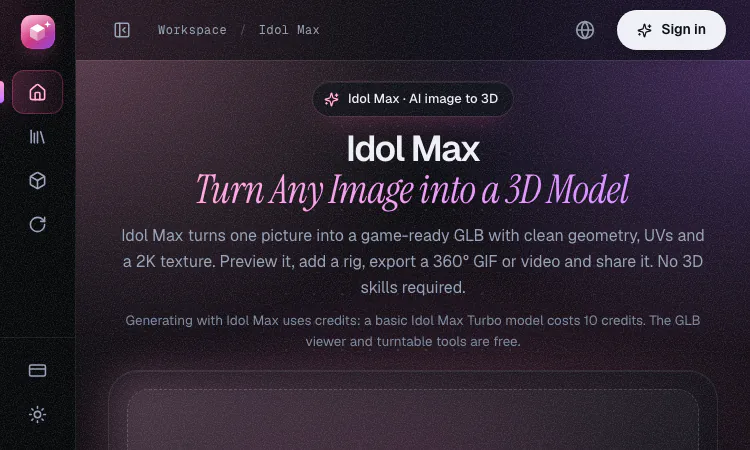
Before you buy credits, it helps to know what one Image to 3D model really costs and what you receive. Idol Max, the Image to 3D service behind this listing, sells credit packs from $10 and charges a set number of credits per model, with optional add-ons for rigging and PBR maps. This page compares the two models, works through the credit math, lists what each download contains and sets out the refund and storage rules. Use it as a checklist when you compare Image to 3D services for a real project.
A Turbo model costs 10 credits, and an Idol Max model costs 20. The $10 pack contains 400 credits, so it covers about 40 Turbo Image to 3D models or 20 Idol Max models. The $25 pack contains 1,250 credits, about 125 Turbo models or 62 Idol Max models. Divide the pack price by the credits per model to see the cost of each Image to 3D result before you commit.
| Pack | Credits | Turbo models | Idol Max models |
|---|---|---|---|
| $10 | 400 | about 40 | about 20 |
| $25 | 1,250 | about 125 | about 62 |
| $50 | 3,000 | about 300 | about 150 |
| $100 | 7,000 | about 700 | about 350 |
A Turbo Image to 3D run takes about 20 seconds per model and costs 10 credits, with color projected from the 3D shape. An Idol Max Image to 3D run takes about 50 seconds and costs 20 credits, with base color repainted from your image. The price gap is 2x per model, while the time gap is about 2.5x. The quality difference is what decides whether the extra cost is worth it, so compare both on one Image to 3D input before you spend the larger amount. Track the Image to 3D price gap across a whole batch, not a single run.
Rig and animate adds 3 credits on Turbo and 5 on Idol Max, and it is refunded if the rig fails. PBR maps add 10 credits and take longer to process. A fully equipped Turbo model with rig and PBR costs 23 credits, while a fully equipped Idol Max model costs 35. Add these costs to your budget only when the Image to 3D asset truly needs them, because a fully equipped Image to 3D run costs well above the base price.
Credits never expire, which is useful if your Image to 3D work comes in bursts. Failed generations are refunded. Finished models are kept for 30 days, or 365 days once you have bought credits, and you can delete them at any time in My Models. The site says your image is sent to fal to build the model and is not stored by IdolMax, so keep your own copy of each source picture for every Image to 3D project.
Every Image to 3D result is a single GLB with about 30k triangles, UV coordinates, a 2K base-color texture and a normal map. The file can be opened in the free GLB viewer and turned into a looping 360° GIF, MP4 or WebM with the turntable maker. Both tools are free and need no sign-in. Check the Image to 3D output this way before you pay for add-ons, so you do not add rig or PBR costs to a model that needs a new source picture anyway.
Score each Image to 3D service on price per usable asset, output format, color method and data handling. The cheapest Image to 3D model is the one you do not have to repeat, so count retries as part of the price. Write the scores down, then compare the totals for your own catalogue or project rather than the headline price alone.
Solo creators who run a few Image to 3D jobs a month usually need only the $10 pack. Studios that run dozens of Image to 3D jobs a week will find the $50 or $100 pack easier to plan around. The best pack matches your monthly Image to 3D volume, plus a buffer for retries.
Start with the number of Image to 3D assets you expect each month, multiply by the credits per model, and add a buffer for retries and add-ons. Because credits never expire, a slightly larger pack is low-risk, since unused credits stay available for the next Image to 3D batch. Review the forecast after your first month of Image to 3D runs and adjust the pack size.
Q: How much does Idol Max cost?
A: Credit packs start at $10 and never expire. A Turbo model costs 10 credits and an Image to 3D model at full quality costs 20. Rigging and PBR maps are small add-ons for each Image to 3D model, and failed generations are refunded.
Q: Should I pick Turbo or Idol Max?
A: Pick Turbo for speed and iteration, and Idol Max for the final quality pass. Both return the same files, so you can switch for each Image to 3D project.
Q: What happens to my images and models?
A: The site says your image is sent to fal to build the model and is not stored by IdolMax. Finished models are kept for 30 days, or 365 days once you have bought credits. Retain your Image to 3D sources yourself.
Q: Can I use models commercially?
A: The site says 3D assets generated through the fal API can be used in commercial projects, including games you ship. Check fal's terms and confirm you have the rights to the source image before you publish any Image to 3D asset.
Run the credit math for your own catalogue, test one input on Turbo, and decide whether Idol Max or the add-ons are worth their cost for each Image to 3D asset. Then budget for Image to 3D work as a set of assets, not a single purchase. When you are ready, open the Image to 3D homepage and start with a small pack.
Flying Roadster AI Video Generator has a clear workflow: upload a car, choose framing, and create a private flying car clip for download.
Project Moon Life is a free, no-sign-in browser simulator with a clear life loop, changing conditions, and an archive of personal outcomes.
Random Topic Generator is a free AI-powered speaking practice tool that helps users generate fresh topics for impromptu speeches, presentations, conversations.
Seven free football games in your browser: career sims, a legend-guessing quiz, squad building, and a daily seeded challenge — no account, no download.
An instant PSL rating that never leaves your device: one photo is processed entirely in-browser and returns a score, tier, breakdown, and shareable card.
Recreate the hidden stripe of a world flag with HSB sliders and a live preview — five rounds a game, scored by how perceptually close your color lands.