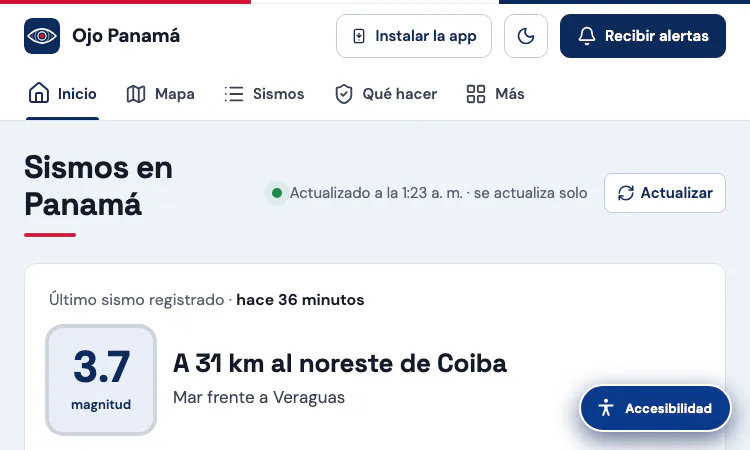
Sismo Panama Vercel App is the listing name for a public earthquake-monitoring website that currently presents its brand as Ojo Panamá. That detail helps visitors recognize the destination after opening the link. The site focuses on seismic activity affecting Panama and nearby waters, combining a live status panel, an interactive map, recent-event records, sequence analysis, felt reports, mobile alerts, and practical preparedness information. It is designed to help people understand what has been recorded and where, using information that is attributed to named agencies. It does not predict earthquakes and should not be treated as an official emergency-warning authority. The Sismo Panama Vercel App gives readers a convenient way to check context, then follow the cited source or official guidance when decisions matter.
The interactive map turns a list of seismic records into a geographic view of Panama. Visitors can narrow the display by minimum magnitude, time period, province or comarca, and city or locality; an option can include surrounding areas. Selecting an event reveals details such as its reported magnitude, location, depth, local time, and publishing agency when those details are available. This makes it easier to distinguish a nearby tremor from an event farther offshore or in another province. The map also offers layers and explanatory material for people who want more than a point on a basemap. The Sismo Panama Vercel App is particularly useful when a reader wants to move from a short headline to a clear place-based view without searching several pages.
The page brings together earthquake information associated with the Instituto de Geociencias at the University of Panama (IGC-UP), the United States Geological Survey (USGS), the European-Mediterranean Seismological Centre (EMSC), and GFZ GEOFON. These catalogs may publish events at different times or revise preliminary estimates as more data arrive. A magnitude or location shown soon after an event can therefore change. Ojo Panamá identifies sources near event details and explains that figures are reviewed, which helps readers understand why reports can differ. The Sismo Panama Vercel App is best used as a public-facing index to these records, not as a replacement for the agencies that produce them. When an exact figure matters, open the linked agency record and check its latest status.
A strong earthquake can be followed by many smaller events, so a single “latest quake” card does not always tell the whole story. The site includes sequence-oriented views that help readers follow event order, compare magnitudes, inspect aftershock locations, and see how activity changes over time. Depending on the event and source coverage, the page also presents depth, approximate energy comparisons, felt reports, and explanatory notes about what each measure can and cannot say. Those elements are helpful for recognizing patterns, but they do not establish that another earthquake will happen at a particular time. The Sismo Panama Vercel App supports careful observation: compare like with like, pay attention to the reporting agency, and treat modeled or estimated values as context rather than direct measurements.
The website is designed for use in a browser on a phone or computer. It offers an installation prompt for supported devices and a control for receiving alerts, subject to the device, browser, network connection, and the visitor’s permission settings. An alert can make it easier to return to the live page, but delivery timing is not guaranteed and should not be confused with an official warning. Readers can share event information through the site’s available sharing controls, including WhatsApp where supported. The Sismo Panama Vercel App therefore fits a quick check during the day as well as a longer review after an event. Visitors should keep their browser permissions and device notification settings in mind and use official local channels for urgent instructions.
Ojo Panamá includes basic earthquake guidance, a short checklist, and links to public resources such as Panama’s SINAPROC and tsunami information from the relevant official centers. The page advises people to protect themselves during shaking, stay away from hazards, and follow official instructions. It also shows 911 emergency contact information for situations involving immediate danger to life. This material is a practical reminder, not a substitute for training, local emergency plans, or directions from responders. The Sismo Panama Vercel App can help readers locate context and preparedness links, but it cannot assess structural damage, confirm that a building is safe, or decide whether someone should evacuate. In a real emergency, prioritize personal safety and follow current instructions from local authorities.
Start with the latest-event panel to see whether the page has recorded a recent event, then note the time and the source label. Use the map filters to focus on the province, locality, magnitude range, or time window that matters to you. Open an event for more detail instead of inferring its impact from a marker alone. If a sequence is active, review the timeline and chart views for context while remembering that aftershock patterns are not a forecast. For a claim that affects travel, family plans, or safety, confirm it with the cited catalog and official local announcements. The Sismo Panama Vercel App works best as a first stop for a readable overview that points onward to its underlying evidence.
When someone searches for a recent tremor, the first need is often a compact answer: what is currently recorded, where is it, when was the report published, and which catalog supplied it? Ojo Panamá places those details in a live event panel and links them to a map and source record. The page can therefore help a reader move from an initial scan to evidence without opening a broad list of unrelated global events. It also links to sequence analysis, reports, official news, and historical material for people who want a wider view after the immediate question is answered.
Filtering helps reduce noise. A visitor can choose a magnitude threshold, a time range, a province, and a locality rather than scanning every visible record. This matters when a sequence includes many events or when someone follows only a specific area. Sorting options and event details add another layer of focus, while source names provide a quick cue for what to verify next. The interface cannot guarantee that every catalog has updated at the same moment, so a concise view should still include the timestamp and agency rather than presenting a number as timeless fact.
The alert control and mobile installation option support repeat access for people who want to check the page again. Notifications depend on a supported browser, a live network connection, device settings, and permission; they do not promise advance warning or replace official emergency announcements. Preparedness links give readers a next step if they need basic safety information, while the source links support fact checking. This combination is useful for filtering information quickly while preserving a path to more detail and to the relevant authority.
Use the Sismo Panama Vercel App for a quick Panama-specific check, then open the event details or cited catalog when the exact record matters.
Is the latest-event card a complete feed of every possible earthquake report? It reflects the data and sources currently available to the site, which can vary by agency and time. Should an alert be treated as an official warning? No; it is a convenience for returning to information and depends on browser delivery. For emergency decisions, rely on current announcements from local authorities and emergency services.

Flying Roadster AI Video Generator has a clear workflow: upload a car, choose framing, and create a private flying car clip for download.
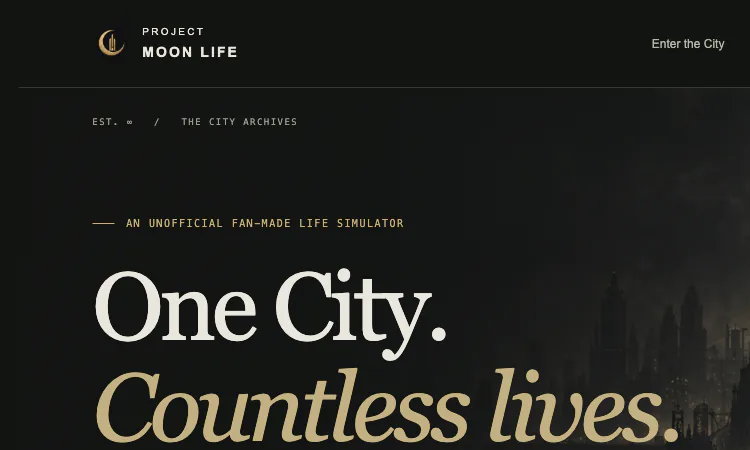
Project Moon Life is a free, no-sign-in browser simulator with a clear life loop, changing conditions, and an archive of personal outcomes.
Random Topic Generator is a free AI-powered speaking practice tool that helps users generate fresh topics for impromptu speeches, presentations, conversations.
Seven free football games in your browser: career sims, a legend-guessing quiz, squad building, and a daily seeded challenge — no account, no download.
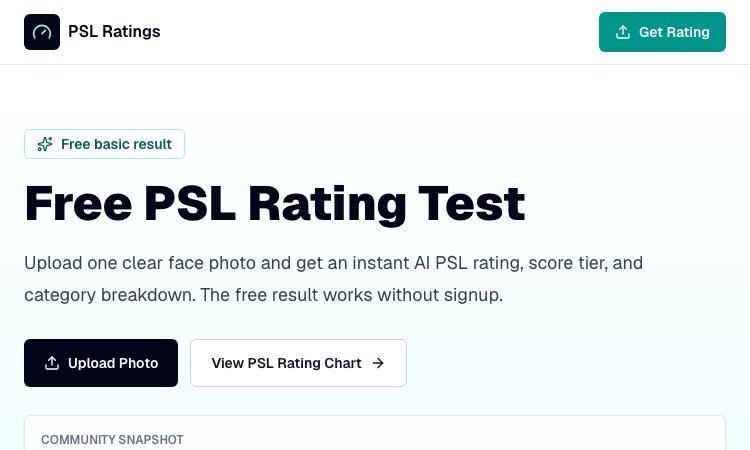
An instant PSL rating that never leaves your device: one photo is processed entirely in-browser and returns a score, tier, breakdown, and shareable card.
Recreate the hidden stripe of a world flag with HSB sliders and a live preview — five rounds a game, scored by how perceptually close your color lands.