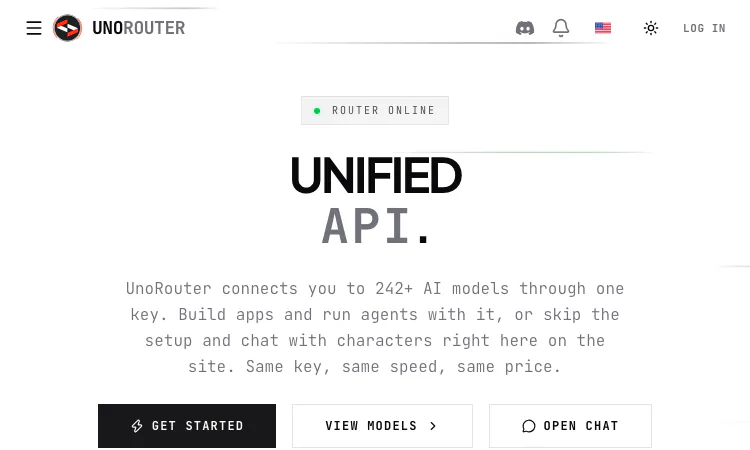
UNORouter helps developers, agent builders, CLI users, and people comparing hosted AI models one compatible access path for trying models from multiple upstream providers. This clear comparison view explains the role of UNORouter, the first useful step, and the decision points that matter in a real session. Readers can try UNORouter on a small example, see whether its core action fits their need, and then decide whether it belongs in a larger workflow. The product is most useful when UNORouter is judged against a clear task rather than an assumption that one tool should replace every other option.
UNORouter is easiest to evaluate when the feature is connected to a practical outcome. From a clear comparison perspective, a visitor should understand how UNORouter moves from an input to a result that can be inspected. A comparison-friendly description makes the intended user and main use case explicit. For UNORouter, this means noticing the main action, confirming the expected output, and identifying where a person still needs to make a judgement. A short trial with UNORouter answers more than a broad feature list: it shows whether the workflow fits the task, which settings influence the result, and what should be reviewed before use.
The service presents a unified API for models from multiple upstream providers. Its homepage currently reports 244 routable models and more than 43 providers, along with free and pay-per-use groups. Those are live catalogue counts rather than permanent guarantees. The central idea is a shared access layer that avoids repeating provider setup for every model a developer wants to try. A single key can route compatible client requests through the selected model. For UNORouter, the practical benefit is easier to judge when the input and intended result are specific. A person using UNORouter can make one change, review the outcome, and decide what still needs attention. The UNORouter workflow becomes clearer after a small first attempt, and UNORouter is simpler to compare when the original example remains available.
The API is described as OpenAI-compatible, which can fit applications that accept a custom base URL and key. A user configures a client, selects a model identifier, and sends a request through the router. Compatibility can reduce setup work, but it does not make every provider’s model behave the same way. Before production use, check the endpoint, model name, context window, tool support, and any limits that apply to the chosen route. For UNORouter, the practical benefit is easier to judge when the input and intended result are specific. A person using UNORouter can make one change, review the outcome, and decide what still needs attention. The UNORouter workflow becomes clearer after a small first attempt, and UNORouter is simpler to compare when the original example remains available.
Listed coding clients include OpenCode, Cline, Roo Code, Kilo Code, and Zed. Developers can point supported tools at a custom endpoint and explore more than one coding model through a shared configuration. This is useful when a team wants to compare latency, response quality, or cost on the same task. A small evaluation prompt or controlled repository change provides better evidence than choosing a model based on its name alone. For UNORouter, the practical benefit is easier to judge when the input and intended result are specific. A person using UNORouter can make one change, review the outcome, and decide what still needs attention. The UNORouter workflow becomes clearer after a small first attempt, and UNORouter is simpler to compare when the original example remains available.
The supported paths include character and fiction clients such as SillyTavern, Janitor.AI, Chub, and RisuAI, as well as generic chat interfaces. That makes the product relevant beyond software teams. Users can connect a model to a familiar front end, and the website also offers character chat directly. Each third-party client has its own connector settings and may change over time, so the product’s current guide should be checked during setup. For UNORouter, the practical benefit is easier to judge when the input and intended result are specific. A person using UNORouter can make one change, review the outcome, and decide what still needs attention. The UNORouter workflow becomes clearer after a small first attempt, and UNORouter is simpler to compare when the original example remains available.
Examples for CLI tools include Aider, Codex, Gemini CLI, OpenClaw, and terminal agents. This enables model access from scripts and developer workflows that run outside a browser. A shared route can make it easier to test an agent in more than one environment. Keys should be kept in an appropriate secret store and excluded from public code, shell history, screenshots, and shared configuration files. For UNORouter, the practical benefit is easier to judge when the input and intended result are specific. A person using UNORouter can make one change, review the outcome, and decide what still needs attention. The UNORouter workflow becomes clearer after a small first attempt, and UNORouter is simpler to compare when the original example remains available.
The catalogue includes a mix of provider offerings and model families. The homepage counters divide the current set into free and paid models, while its live inference area shows recent model activity. These details are useful for discovery, but a label by itself does not establish context length, tool support, reliability, or output quality. A suitable selection checks the task and current specifications before a model is used for a larger workload. For UNORouter, the practical benefit is easier to judge when the input and intended result are specific. A person using UNORouter can make one change, review the outcome, and decide what still needs attention. The UNORouter workflow becomes clearer after a small first attempt, and UNORouter is simpler to compare when the original example remains available.
The listing includes models marked free and paid, pay-per-use options. Free routes lower the barrier to experimentation, while a paid choice may be appropriate when a task needs a stronger capability or a different response style. Pricing and usage belong to the current product and account pages, so users should check them directly. A shared router makes exploration easier, but it does not mean that every model uses the same price or behavior. For UNORouter, the practical benefit is easier to judge when the input and intended result are specific. A person using UNORouter can make one change, review the outcome, and decide what still needs attention. The UNORouter workflow becomes clearer after a small first attempt, and UNORouter is simpler to compare when the original example remains available.
A practical first connection is to create an account, retrieve a key from the official interface, choose a listed model, and configure one compatible client. Then send a low-risk prompt and inspect the output, latency, and usage. Testing one client at a time makes troubleshooting clearer. Once a route works, record its model identifier and relevant settings so another developer can reproduce the setup without rediscovering the same configuration. For UNORouter, the practical benefit is easier to judge when the input and intended result are specific. A person using UNORouter can make one change, review the outcome, and decide what still needs attention. The UNORouter workflow becomes clearer after a small first attempt, and UNORouter is simpler to compare when the original example remains available.
Start with one small example that represents the real need, then review the output, settings, and current terms. Try a representative task and compare setup, result, and current terms with the alternatives you already know. That keeps the first decision manageable and makes the strengths of UNORouter easier to see. The product may fit when its main workflow is already close to the work a person needs to finish. Before depending on UNORouter, verify model identifiers, feature support, pricing, limits, and provider policies before production use. A careful first session with UNORouter creates a useful basis for deciding whether to return for a larger task.
Flying Roadster AI Video Generator has a clear workflow: upload a car, choose framing, and create a private flying car clip for download.

Project Moon Life is a free, no-sign-in browser simulator with a clear life loop, changing conditions, and an archive of personal outcomes.
Random Topic Generator is a free AI-powered speaking practice tool that helps users generate fresh topics for impromptu speeches, presentations, conversations.
Seven free football games in your browser: career sims, a legend-guessing quiz, squad building, and a daily seeded challenge — no account, no download.
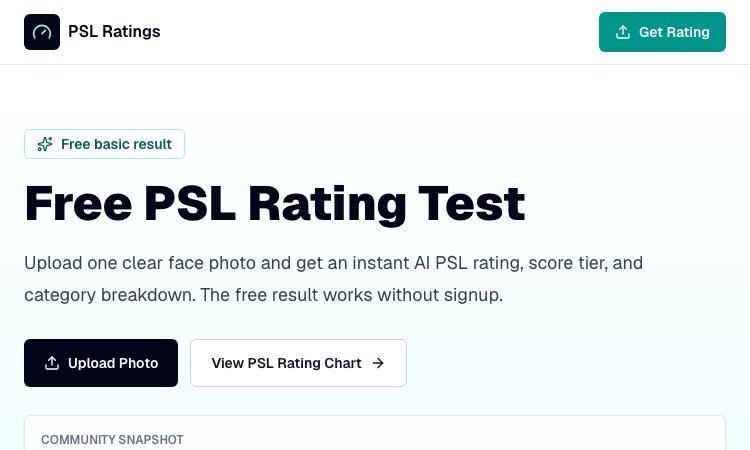
An instant PSL rating that never leaves your device: one photo is processed entirely in-browser and returns a score, tier, breakdown, and shareable card.
Recreate the hidden stripe of a world flag with HSB sliders and a live preview — five rounds a game, scored by how perceptually close your color lands.